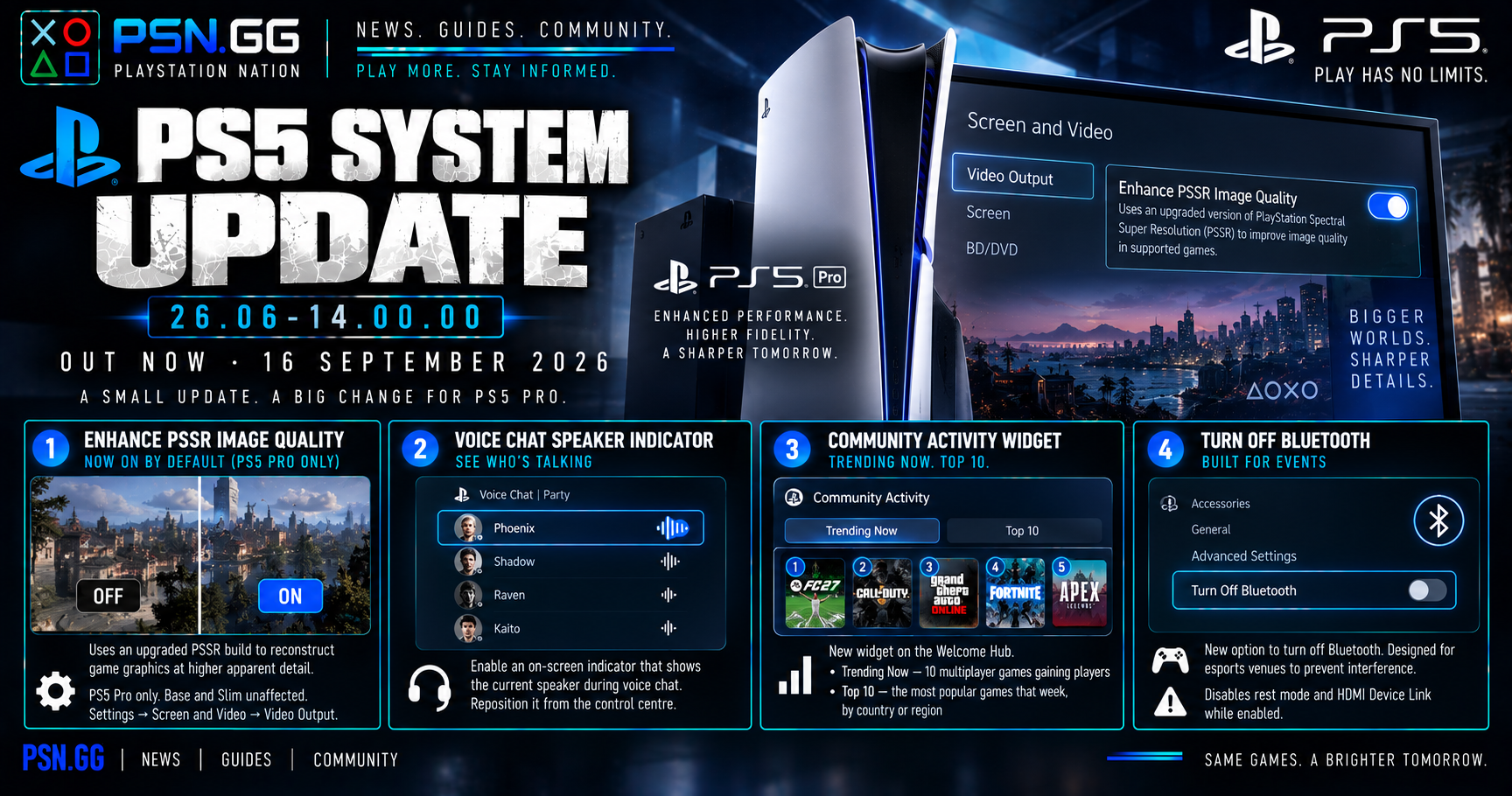
PS5 system software 26.06-14.00.00 rolled out on 16 September 2026, promoting most of August's beta changes to the stable release. It is a small update with one change that deserves more attention than it got: a picture-quality setting was turned on for you, without asking.
Enhance PSSR Image Quality — now on by default (PS5 Pro only)
The headline change. Enhance PSSR Image Quality uses an upgraded build of the PlayStation Spectral Super Resolution library — Sony's machine-learning upscaler — to reconstruct game graphics at higher apparent detail. Before this update it was opt-in. After it, it is on.
This applies to the PS5 Pro only. Base and Slim consoles do not have PSSR hardware and are unaffected.
Where to change it: Settings → Screen and Video → Video Output.
Most people should leave it alone, because it is a straightforward improvement in most supported games. But "on by default" and "correct for every game" are different claims, and PSSR has a track record of being uneven title by title — some games have shipped with visible shimmer, ghosting or softness under it. If a specific game looks worse to you since mid-September, this is now the first setting to check, and that is the practical reason to know it exists. Toggle it off, relaunch, compare.
If you are still deciding whether the Pro is worth the premium, PSSR is a large part of the answer and we go through it in is the PS5 Pro worth it.
Voice chat now shows who is talking
You can enable an on-screen indicator that identifies the current speaker during a voice chat. It is reachable from the voice chat card in the control centre, and you can reposition it on screen.
Small, and genuinely useful in a party of five where three people sound similar. It is also an accessibility win that Sony has not marketed as one.
A Community Activity widget on the Welcome Hub
New widget in the Welcome Hub with two views:
- Trending Now — ten multiplayer games gaining players
- Top 10 — the ten most popular games that week, by country or region
Worth understanding what this actually is: a discovery surface. A country-level weekly Top 10 on the home screen of every PS5 is meaningful storefront real estate, and games that appear there get a visibility boost that compounds. Useful if you play multiplayer and want to know where the population is. Also a reminder that the Welcome Hub is increasingly a merchandising space, not a neutral dashboard.
Turn Off Bluetooth
A new Turn Off Bluetooth function, found under Settings → Accessories → General → Advanced Settings.
This one is not for you unless you run events. It exists so that esports venues and similar environments can stop consoles picking up stray controller signals from neighbouring machines. Two side effects to know if you enable it anyway: it prevents rest mode, and it disables HDMI Device Link.
Everything else
The usual line about improved system software performance and stability, applying to all PS5 models. No detail given, as is standard.
The short version
If you own a PS5 Pro, a picture-quality setting changed state on your console in mid-September without prompting you, and Settings → Screen and Video → Video Output is where you take it back. Everyone else gets a speaker indicator in voice chat, a Top 10 widget, and a Bluetooth toggle built for tournament organisers.
Not deciding between consoles yet? Which PS5 should you buy covers the current line-up.
Written 28 September 2026. Firmware 26.06-14.00.00 released 16 September 2026. Settings paths as documented by Push Square and BGR.
Discussion
Sign in to comment with your PSN.GG identity.
Be the first member to comment on this story.